Using difPy with Large Datasets
Starting with v4.1.0, difPy handles small and larger datasets differently. Since the computational overhead and especially memory consumption can become very high on large image datasets, difPy utilizes a different algorithm specifically to process larger datasets more efficiently and less memory intensive.
When difPy receives a “small” dataset (<= 5k images), it uses its classic algorithm and compares all image combinations at once, hence all of the image data is loaded into memory. This can speed up the comparison processing time, but in turn is heavier on memory consumption. Therefore, this algorithm is only used on smaller datasets.
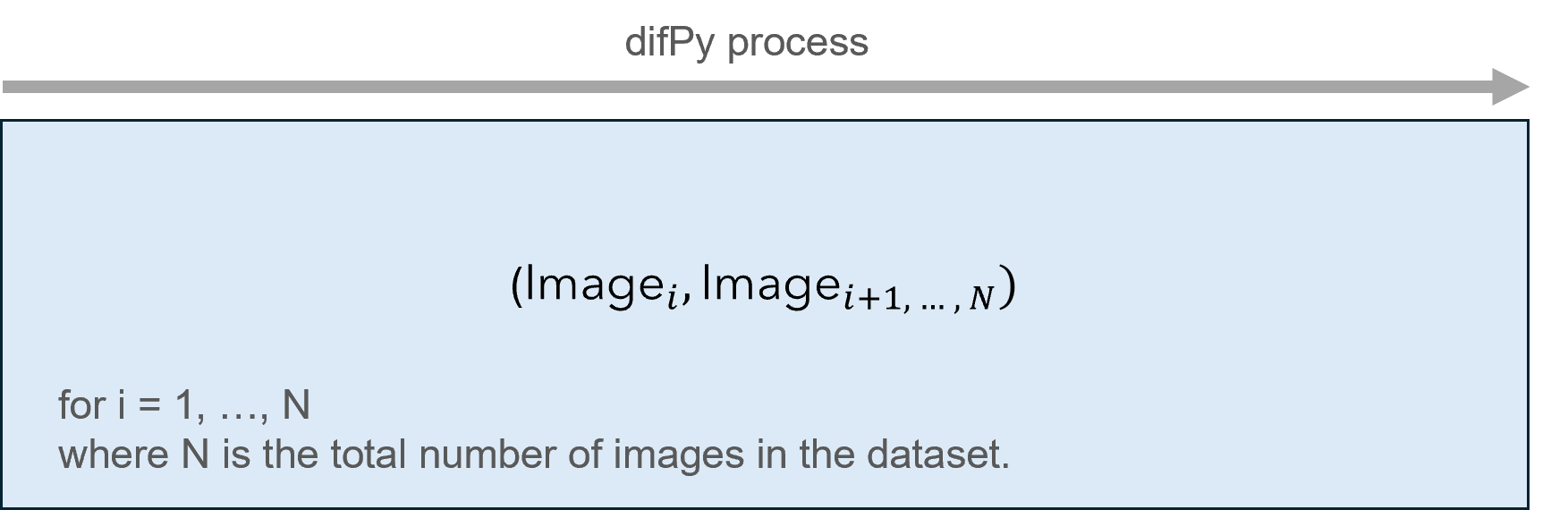
Classic algorithm visualized
When difPy receives a “large” dataset (> 5k images), a different algorithm is used which splits images into smaller groups and processes these chunk-by-chunk leveraging Python generators. This leads to a significant reduction in memory overhead, as less data is loaded into memory once at a time. Furthermore, images are compared leveraging vectorization which also allows for faster comparison times on larger datasets.
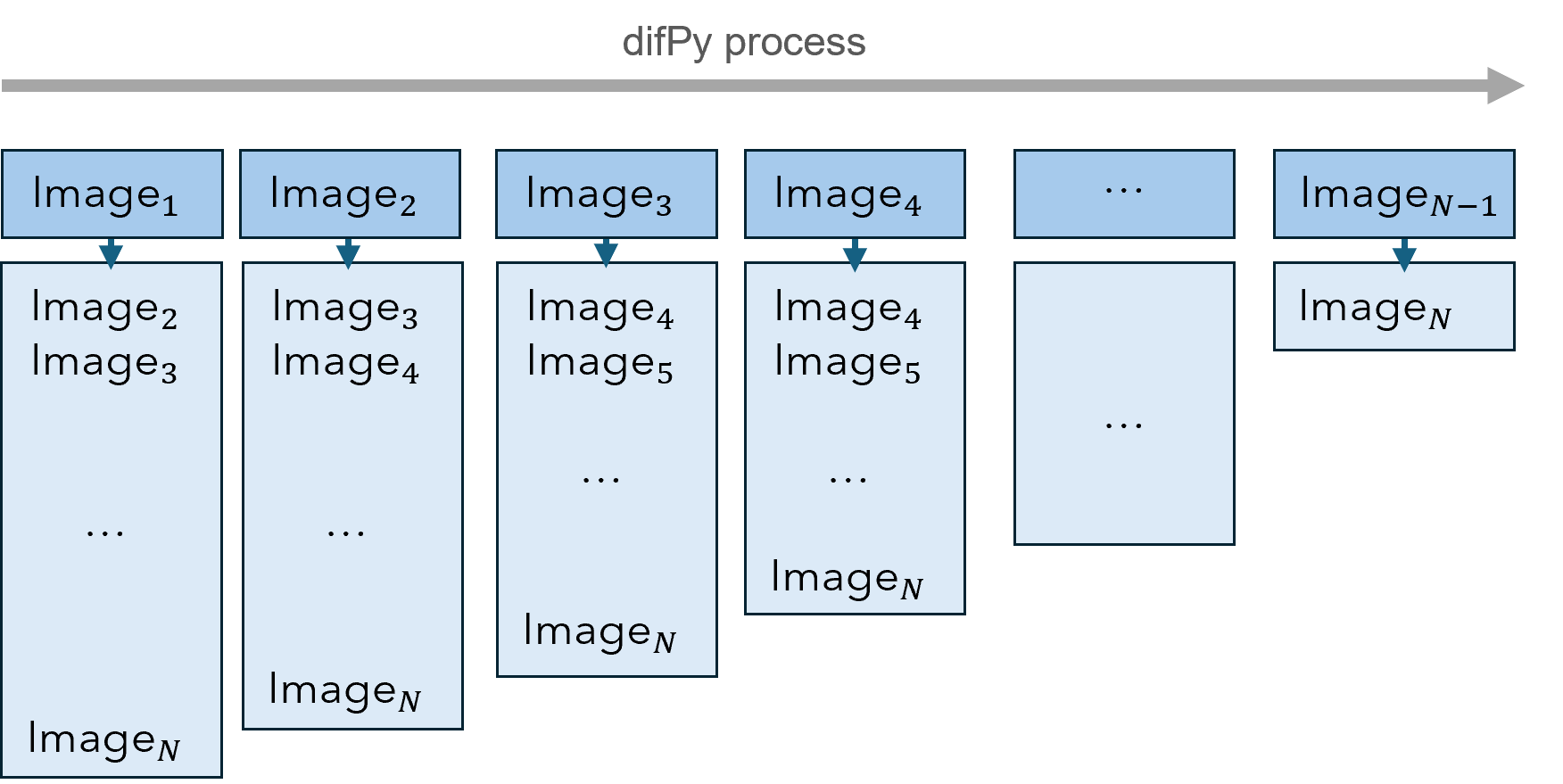
Chunking algorithm visualized
The picture above visualizes how chunks are processed by the chunking algorithm. Each of the image columns represent a chunk.
The chunksize parameter defines how many of these chunks will be processed at once (see chunksize (int)). By default, chunksize is set to None which implies: 1'000'000 / number of images in dataset. This ratio is used to automatically size the chunksize according to the size of the dataset, with the goal of keeping memory consumption low. This is a good technique for datasets smaller than 1 million images. As soon as the number of images will reach more, then heavier memory consumption increase will become inevitable, as the number of potential image combinations (matches) becomes increasingly large. It is not recommended to adjust this parameter manually except if you know what you are doing.
Adjusting ‘processes’ and ‘chunksize’
For most use cases, it is not required to adjust the processes (int) and chunksize (int) parameters. Nonetheless, depending on the size of your dataset and the specs of your machine, it can make sense to adjust them.
difPy will consume as much memory and processing power as is can get in order to process the image dataset as fast as possible. Depending on the specs of your machine, this can lead to a big spike in CPU usage and memory usage for large datasets. In case you want to avoid such spikes, it is recommended to make the following adjustments:
To lower the overhead on your CPU, reduce the
processesparameter.To lower the overhead on your RAM, reduce the
chunksizeparameter.
Reducing these will imply longer processing times, but will keep your CPU and RAM usage low. The higher both parameters, the more performance you will gain, but the more resources dfiPy will use.
Note
Example: You have a dataset of 10k images. Your machine has 16 cores and 32GB of RAM.
For this scenario, the default value for processes is 16 and chunksize is 1'000'000 / number of images in dataset = 100. To reduce the overhead on your CPU, you could set processes to 14 (or lower). To reduce the overhead on your RAM, you could set chunksize to 80 (or lower).